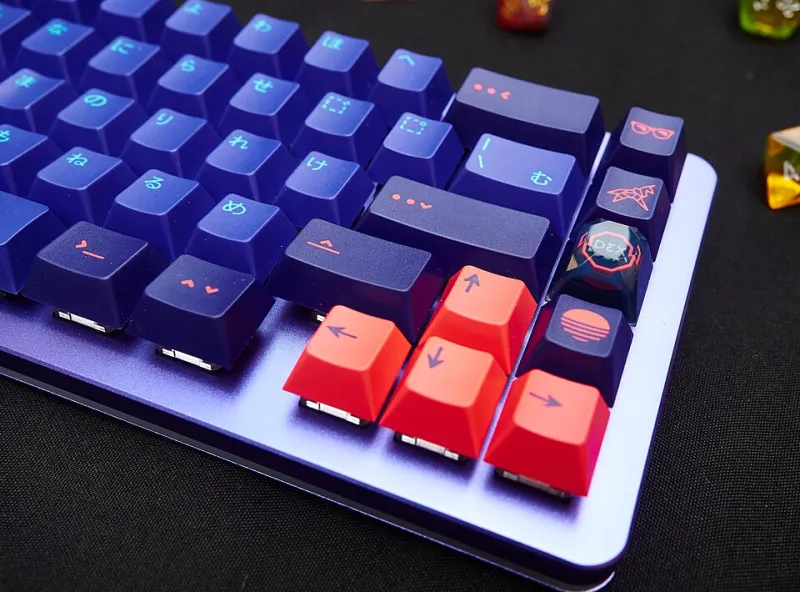
Paper Trail to Keybed: Steering an Access to Work Keyboard Claim Without Losing the Plot

Photo: ergonomic split mechanical keyboard on UK office desk with paperwork and assessment notes, via www.symbolicmeaningofaflower.com
You know the keyboard does not fit. Maybe your wrists complain by Tuesday, your shoulders creep up towards your ears, or one hand does the work of two. Maybe the problem is less about pain and more about focus: a dense sea of keys that makes every task feel like a small tax. You have priced up a split ortholinear board, a one-handed layout, or a macro pad with labels that actually make sense. Then someone says the words Access to Work, and suddenly there is hope, followed swiftly by a form.
Access to Work is a UK government grant scheme that can fund practical support for disabled people and people with health conditions at work. It is not a keyboard shopping spree, and it is not a replacement for the reasonable adjustments your employer should already be making. But for the right claimant, it can turn a thoughtful ergonomic idea into a funded, documented workstation change. The trick is treating the claim like a build: plan the spec, source the parts, and do not solder anything until the order is confirmed.
Start with the need, not the board
The fastest way to derail an Access to Work claim is to lead with the product. An assessor does not need to hear that you have your eye on a ZSA Moonlander or a Keyboardio Model 100. They need to understand the functional impact of your current setup and what a different keyboard would change.
Talk in tasks. Say that sustained typing causes ulnar deviation and wrist pain by mid-morning, or that a standard row-stagger layout makes it hard to find keys consistently when your dexterity fluctuates. For neurodivergent workflows, describe the concentration cost of a cluttered layout, the value of layers and macropads, or the way a split board lets you keep your mouse closer. Bring evidence: a GP or physiotherapist letter, an occupational therapist report, a diary of symptoms, photos of your desk, and notes on adjustments already tried.
Eligibility usually hinges on having a disability or health condition that affects your work, being employed or self-employed, and needing support beyond what your employer would reasonably provide. In 2026 the application route is still broadly online or by phone, with a workplace assessment where needed. Your employer may be asked to contribute towards some costs, especially where standard equipment overlaps with their reasonable adjustment duty. Do not assume the grant covers everything; do assume you will need to explain why this keyboard, not just any keyboard.
The assessment is where the spec is won or lost
Access to Work may arrange an assessment through a provider, or approve a specialist assessment. Ask for someone with ergonomics and assistive technology experience. Before the visit, write a one-page brief: your current keyboard, desk height, chair, screen position, operating system, layout needs, and the tasks that hurt or slow you down. Include measurements and photos. Mention that you need a UK ISO layout, or explain clearly if you use a different legend set for programming or accessibility reasons.
This is the moment to be specific without becoming brand-locked. A recommendation for an ergonomic keyboard is too vague and may send you towards a high-street membrane model that solves nothing. Ask for language such as: a split mechanical keyboard with columnar stagger or ortholinear layout, hot-swap sockets, programmable firmware, tenting options, and a UK-compatible keycap set. For one-handed use, the assessor should understand established options such as Maltron or Kinesis, and custom builds where appropriate. For macro pads, emphasise programmable keys, labelling, and the ability to reduce repeated shortcuts.
The assessment report becomes your evidence. Read it before it goes anywhere. If it says something generic, ask for an amendment while the assessment is fresh. A vague report is the seed of a stalled purchase order.
Quotes that survive the back office
Once the recommendation exists, you need a quote that a back office can process. That means an itemised VAT invoice or quotation from a supplier, with delivery costs, import charges where relevant, warranty terms, and a realistic lead time. It should separate the keyboard, keycaps, cables, tenting kit, wrist supports, and any setup or training time. Access to Work can sometimes fund training, and a new layout without training is just a new way to be slow.
Avoid group buys for a funded purchase. They are brilliant for enthusiasts, but they are terrible for purchase orders: variable lead times, no guaranteed VAT invoice, and no fixed delivery date. Choose a UK supplier that can issue a proper quote and invoice, or an overseas supplier with a clear landed cost. If the quote involves a custom build, ask how long the queue is and whether the supplier will accept a purchase order. Some will; some will not. Find that out before approval, not after.
Purchase order purgatory
The biggest pitfall is buying first and claiming later. Do not. Wait for written approval and follow the purchase order instructions. Keep every reference number, email, and receipt. Copy your employer contact where appropriate, especially if they are contributing. If you are self-employed, the process is similar but the paperwork is yours alone, so keep a clean folder.
Timelines can run from weeks to months. Plan an interim setup if you can: a borrowed ergonomic keyboard, a temporary macropad, or a software remap. Do not let the perfect board block a workable stopgap.
After the clack
When the keyboard arrives, set it up slowly. Save your firmware config, document your layers, and label anything unusual. Keep the invoice and warranty safe. Hot-swap boards are easier to maintain, but any custom board needs spare switches, a keycap puller, and a plan for cleaning. If the board is funded as a workplace adjustment, treat it as work equipment: tell your employer about insurance, servicing, and what happens if you change roles.
Access to Work is not a magic wand. It is a process, and like any good build, it rewards preparation. Get the need right, get the assessment specific, get a quote that a back office can love, and wait for the green light. Then, and only then, let the clack begin.